TABLE OF CONTENTS
- The Correspondence Page
- The Marksbook, Attendance roll page and Information pane (SIP)
- Provisioning (Welcome) Emails
- Email address FAQs
The 'Reply to' email address and the 'From' email address will differ depending on which method is used to send email. This article outlines where the email address is drawn from when using the various different methods.
The Correspondence Page
When sending emails from the 'Correspondence' Page, SEQTA will use the following hierarchy when determining which address to display as the reply to address.
- Email address set in the 'Reply to address'field on the 'Correspondence' Page will always take precedence.
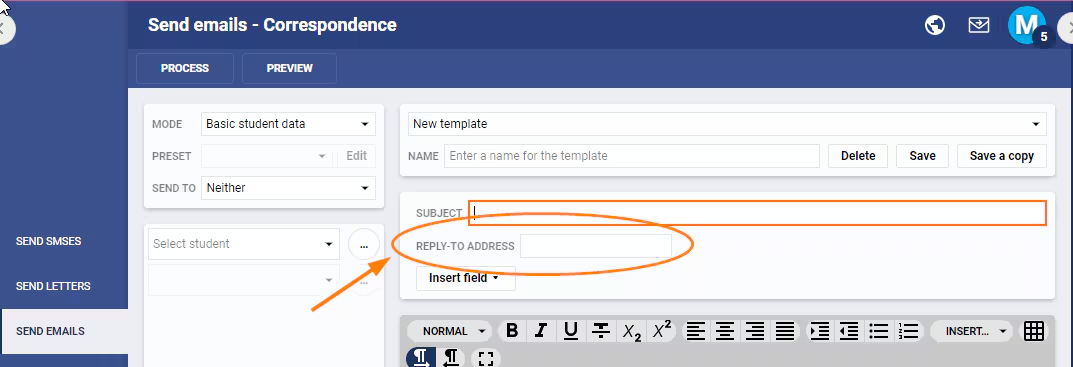
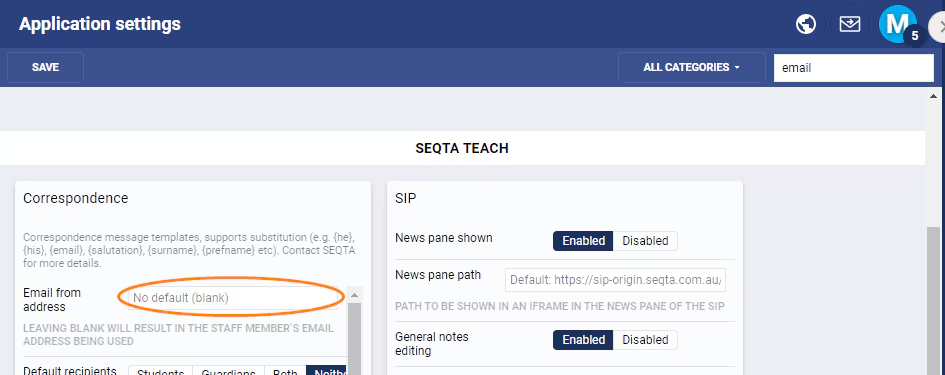
- If the 'Reply to address' field is not populated it will use the email address set in the 'Administration workspace' > 'Application Settings' under the 'Email From Address' setting.
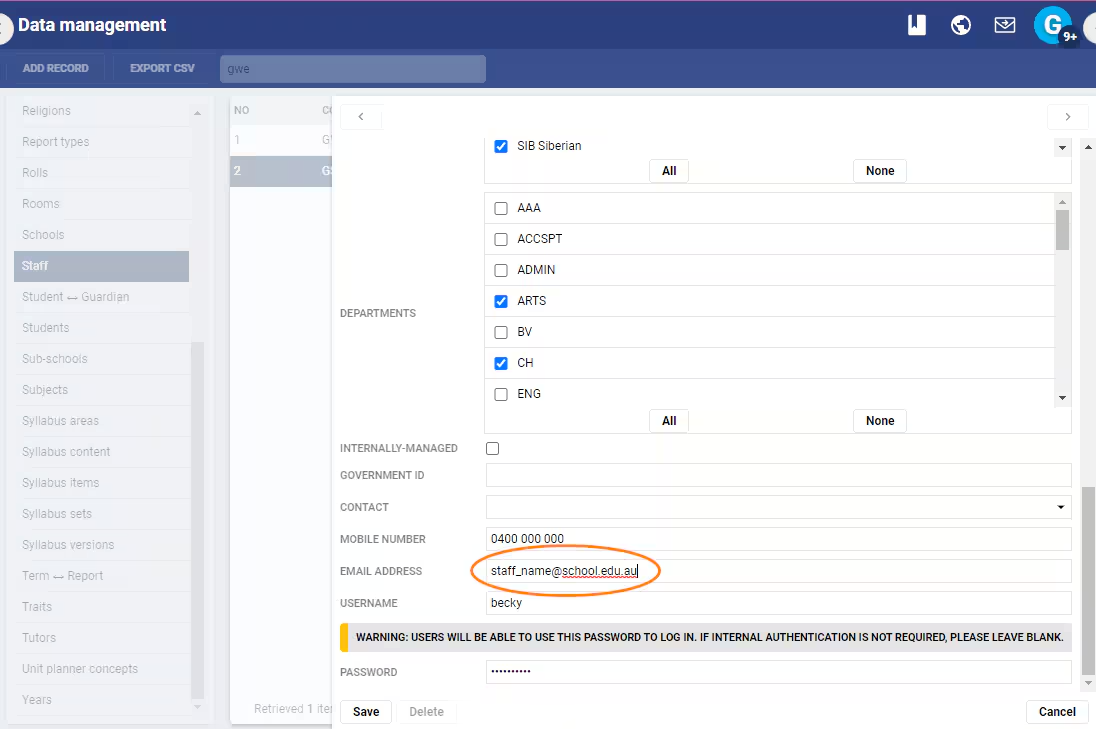
- If none of the above email addresses are not populated, it will use the email address set for the sender in the 'Administration workspace' > 'Data management' > 'Staff' in the 'Email address' field. This information is drawn from the School's Admin System, or for those with no Admin System directly in SEQTA.
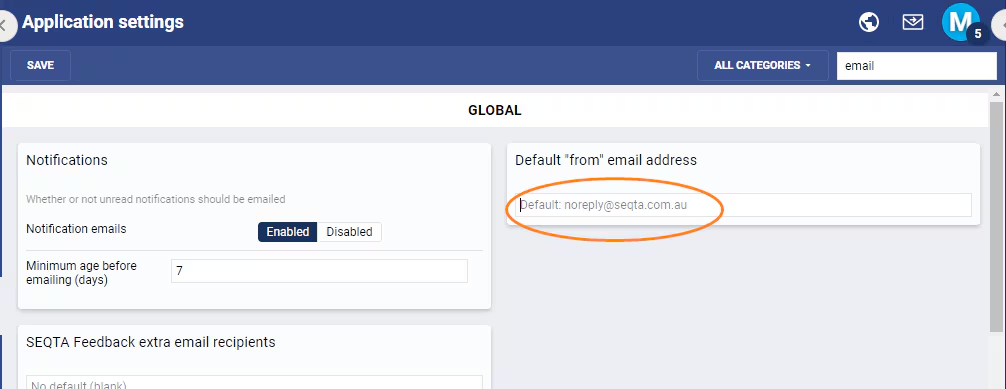
- If the email address is not populated in any of the areas in the above points, the system will use the email address set in the 'Administration workspace' > 'Application Settings' under the 'Default "From" email address' setting. If this is blank it will use the default noreply@seqta.com.au
In Summary:
- The 'Reply To' field will override any email address set elsewhere in SEQTA.
- The 'Email From Address' will be used if there is no email in the 'Reply To' field (1).
- The email address set in the 'Staff Record' will be used when there is no email in the 'Reply To' field (1), or the 'Email From Address' (2).
- The 'Default "From" Email Address' will be used if there is no email in the 'Reply To' field (1); the 'Email From Address' (2); in the 'Staff Record' (3).
- The email address noreply@seqta.com.au will be used if there are no emails set in the; 'Reply To' field (1); the 'Email From Address' (2); the 'Staff Record' (3).
The Marksbook, Attendance roll page and Information pane (SIP)
Emails sent from the Attendance roll page, Marksbook or the Information pane in the SIP will open the staff member's email program and use the 'Reply To' address set in the program.
Which reply to address is used when sending Pastoral Care Alert emails?
The 'Reply To' address for Pastoral Care Note Alerts will be set to the email address set in the staff record. If there is no email in Staff record it will be set to noreply@seqta.com.au.
Provisioning (Welcome) Emails
The reply to and from address for Provisioning emails will be set to the 'Default "from" email address' set in Application settings.
To minimise the chances of email being flagged as space the 'Default "from" email address' should be authorised with the mail relay (eg. have the required SPS records).
Email address FAQs
Can I override the default 'from address' when emailing from the Correspondence page?
Default the staff members email address is used as the 'From' address when emailing from the Correspondence page.
- In the Application settings under the sub-heading 'Correspondence' there is a field called 'Email from address', if this is populated the email address will show as the from address for all emails being sent from Correspondence.
The 'reply to' address on the Correspondence page is not the 'from' address.
How do I change the default "from" email address?
- Go to Administration workspace > Application settings > Application settings
- Type 'email' in the search box
- Under the category Global enter the email address into the setting Default "from" email address
- Click Save

Was this article helpful?
That’s Great!
Thank you for your feedback
Sorry! We couldn't be helpful
Thank you for your feedback
Feedback sent
We appreciate your effort and will try to fix the article