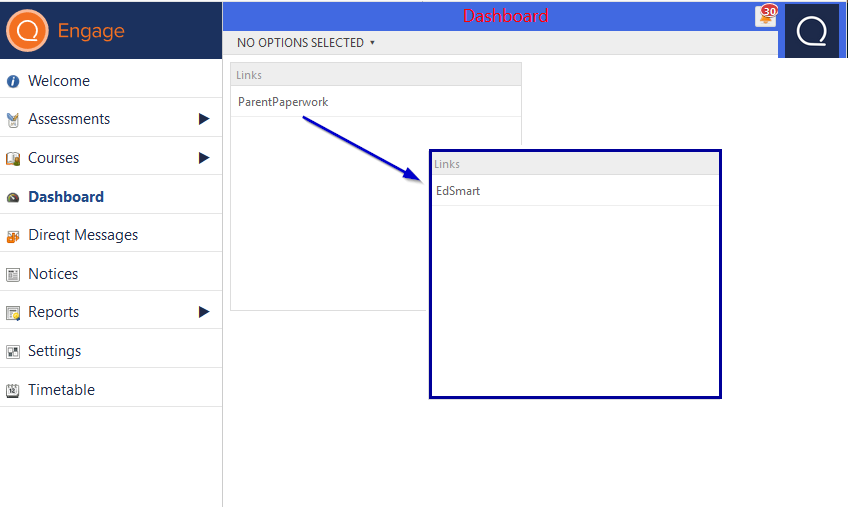
How do parents access EdSmart (formally ParentPaperwork) through SEQTA Engage?
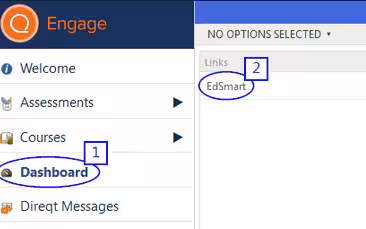
- Select Dashboard from the left menu
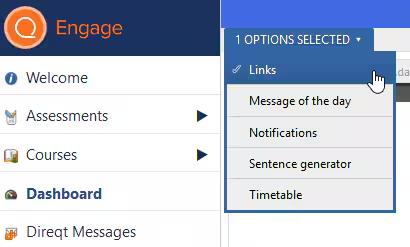
- The Links dashlet should then display, if it doesn't select the Links option from the drop-down menu and it will appear.
- The EdSmart link should then appear in the Links dashlet (or if not yet renamed ParentPaperwork).
How can I rename the ParentPaperwork link to EdSmart?
Email the SEQTA Support Team: seqta.support@educationhorizons.com with the name you would like and it will be changed in the database as this cannot be changed through the SEQTA Teach interface.
As this is a database change, email authorisation from the School Education Contact is required.