Quick links provide staff an easy way to access other websites through SEQTA. Quick links are managed in-house by the school's SEQTA Administrator.
Only websites that are delivered over a secure connection (ie. are prefixed by 'https') can be added as a quick link .
The steps for creating and managing quick links are as follows:
- Go to the Administration workspace > Data management > Quick links
- Click on an existing quick link to edit or delete. Alternately, click on Add record to create a new quick link.
- Add in the Label and URL for a quick link and click Save
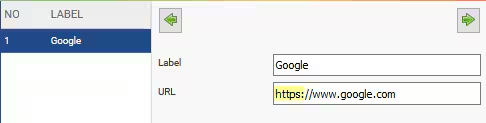
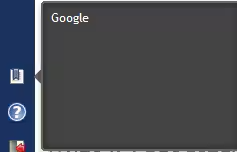
Image below: The Quick links icon is displayed in the top right hand corner in SEQTA Teach.
Was this article helpful?
That’s Great!
Thank you for your feedback
Sorry! We couldn't be helpful
Thank you for your feedback
Feedback sent
We appreciate your effort and will try to fix the article