TABLE OF CONTENTS
SEQTA Mobile
SEQTA Mobile is available to all SEQTA schools. SEQTA Mobile will allow teachers to mark their roll (one day at a time) on any mobile device.
In most cases the Link/URL for SEQTA Mobile will be the school's name prefixed with 'TAMA.' or 'MOBILE.'. For example mobile.schoolname.state.edu.au.
If there are any issues accessing SEQTA Mobile please contact the SEQTA Support team to confirm it's enabled and the URL is correct.
Marking the attendance roll with SEQTA Mobile
- Log in to your school's mobile URL using your phone/tablet browser using your normal school credentials for SEQTA.
- Select Mark attendance
- The current day's classes will be selected by default. To mark attendance for another day, click on the calendar icon in the top right corner.
- Click the name of the class to open the attendance roll page.
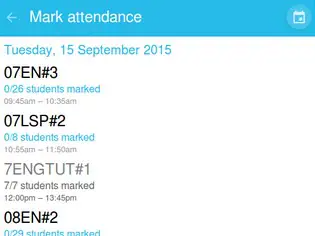
- Mark the students as In-class, Absent, Late to class or Learning at home. The behaviour is very similar to marking the roll while at school. Clicking on the icon with the two ticks in the top-right corner will mark all students present. Attendance will toggle to the next attendance type if you have already marked some students. Attendance will change with each press in the same sequence as when using the Roll>Attendancepage on a full-sized device.
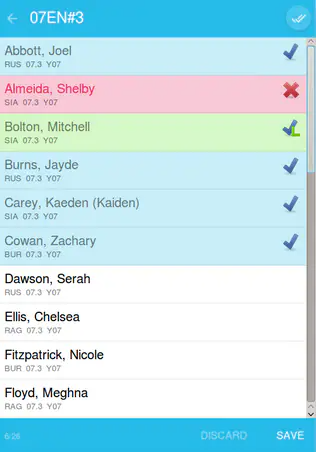
- Remember to click SAVE!
- To exit SEQTA Mobile, close the browser window.
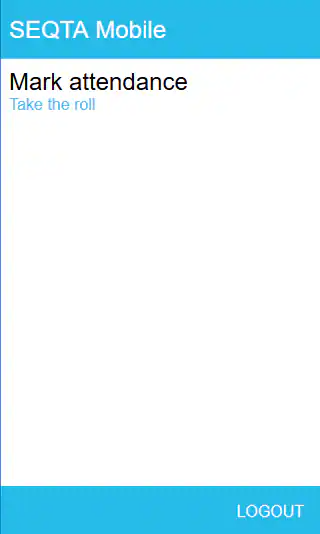
- To log out, click back to go to the main screen and click the Logoutbutton in the bottom-right corner.
Was this article helpful?
That’s Great!
Thank you for your feedback
Sorry! We couldn't be helpful
Thank you for your feedback
Feedback sent
We appreciate your effort and will try to fix the article