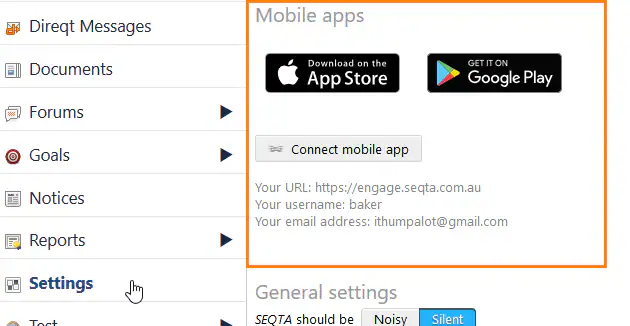
The information required to manually setup SEQTA Engage and SEQTA Learn, download the apps and connect the account to the mobile app is available under Settings in Learn and Engage. This does not show when masquerading or in the SEQTA apps.
This setup information can be hidden by disabling the global.apps.promotion setting. This setting can only be changed by the Support team, with email authorisation from the SEC or STC to seqta.support@tes.com.
To view the information, go to:
- The web version of SEQTA Learn and SEQTA Engage, under the Settings menu item (includes the App store and Google play icons, Connect mobile app button and manual setup details).
- At the bottom of the Welcome email (includes the App store and Google play icons and QRCode).
Was this article helpful?
That’s Great!
Thank you for your feedback
Sorry! We couldn't be helpful
Thank you for your feedback
Feedback sent
We appreciate your effort and will try to fix the article