TABLE OF CONTENTS
The Attendance roll page is used by teachers to mark the attendance roll for their class and record traits. The attendance roll can be accessed by clicking on the "@" symbol on the class.
The steps for accessing the Timetable page are as follows:
- Go to the Teaching workspace>Timetable>My day/My classes/Traditional view/Calendar
- Click on the @ icon on the class
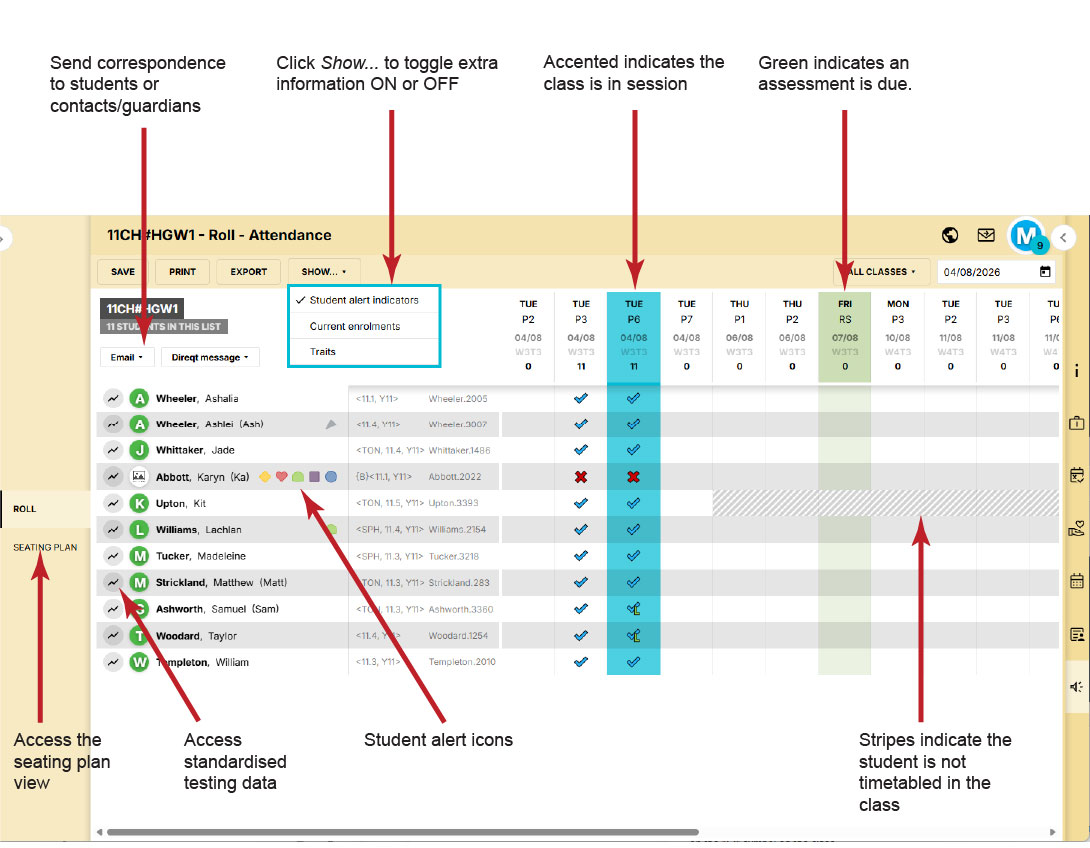
Seating plan
See: Using the Seating plan page
Attendance page reports
The following PDF reports are available from the attendance roll page and can be accessed by clicking the Print button.
- Attendance table: Student's attendance as seen on the attendance roll page.
- Class list: A list of students currently enrolled in the class with a grid suitable for taking a paper roll.
- Student photos: Photos of students currently enrolled in the class. This may be useful for relief teachers and teachers that are starting with a new groups of students.
- Relief form: A form that relief staff can use to take a paper roll and leave notes for the usual class teacher
Attendance summary columns
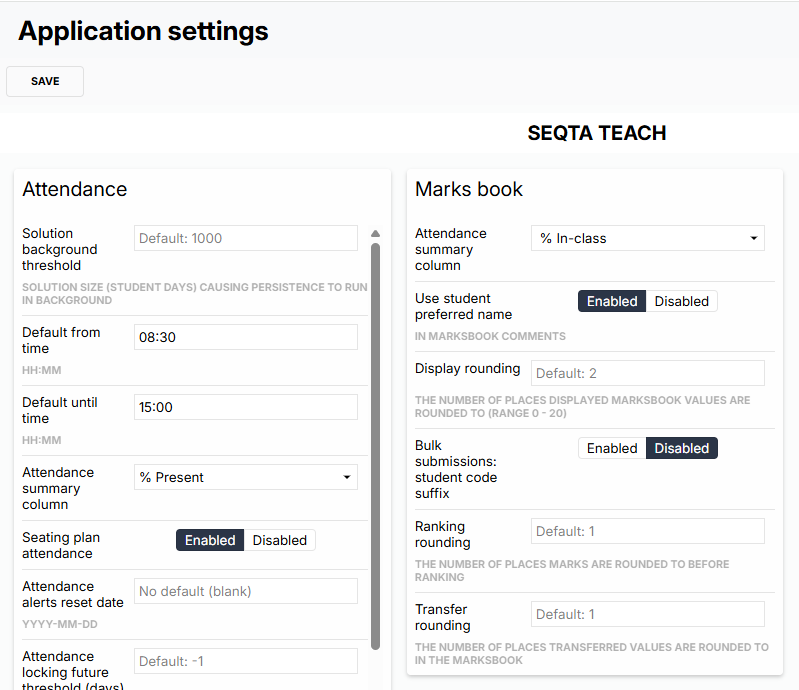
A column can be added to the Attendance roll page that will display student attendance for that roll class. Please go to Admin workspace>Application settings>Application settings, search for attendance summary, and choose the editing pane called Attendance. In the drop down menu choose how you would like the summary to be displayed.
NOTE: A column can also be added to the Marks book that will display student attendance for that academic class. Please go to Admin workspace>Application settings>Application settings, search for attendance summary, and choose the editing pane called Marks book. In the drop down menu choose how you would like the summary to be displayed.
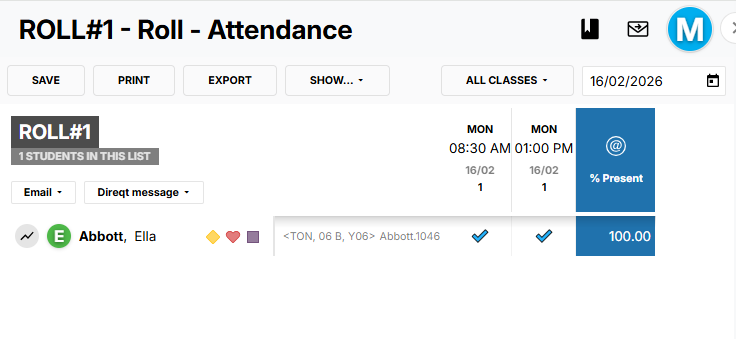
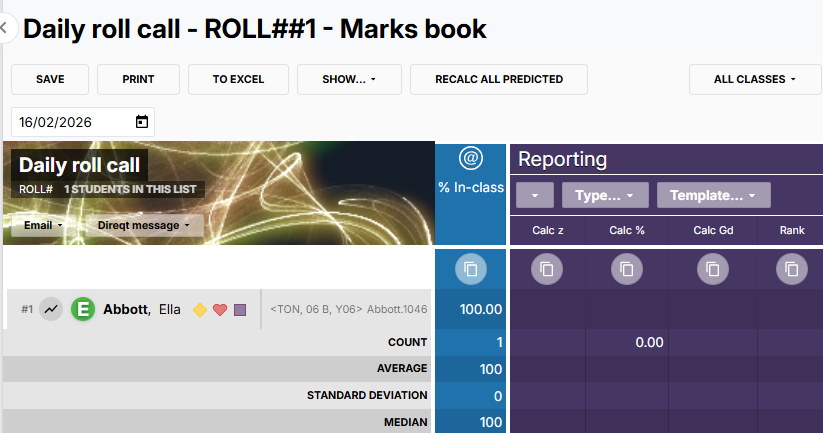
Different settings can be used in the two locations, as shown below.
Attendance roll page:
Marks book:
Percentage present % calculation
The Percentage present is calculated based on the number of present attendances divided by the number of present and absent attendances for the selected class.
Was this article helpful?
That’s Great!
Thank you for your feedback
Sorry! We couldn't be helpful
Thank you for your feedback
Feedback sent
We appreciate your effort and will try to fix the article