TABLE OF CONTENTS
- Permissions
- Accessing SEQTA Community
- Introductory video for SEQTA Community
- Digital Badges
- Permissions for Accessing SEQTA Community
- Community Notifications
The SEQTA Community feedback forums allow schools to make and vote on suggestions, ask and answer questions, post guides and tips for others, and provide feedback at the earliest stages on new developments in the SEQTA Suite.
Permissions
The permission COMMUNITY is required to access the SEQTA Community forums.
Accessing SEQTA Community
- Click on the 'World icon' in the top-right corner. If the icon isn't there request the permission 'Community' from the school's SEQTA Administrator.
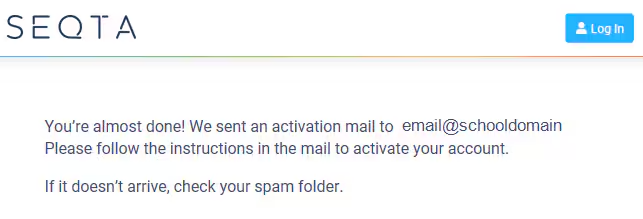
- The first time a staff member accesses SEQTA Community a confirmation email with a link will be generated. Clicking the link in the email will finalise the account setup process. An email address in the staff record in SEQTA is required.
Introductory video for SEQTA Community
Digital Badges
Members are able to earn digital badges by engaging in the community – great for boasting about in the staff room!
Permissions for Accessing SEQTA Community
SEQTA Community can only be accessed by staff allocated the permission called 'Community'. By default, this permission is not granted to any groups. It is managed in-house by the school's SEQTA Administrators in accordance with the school's Policies and Processes.
Community Notifications
A count of notifications from the community displays on the SEQTA Community icon on the spine of SEQTA Teach.
Was this article helpful?
That’s Great!
Thank you for your feedback
Sorry! We couldn't be helpful
Thank you for your feedback
Feedback sent
We appreciate your effort and will try to fix the article