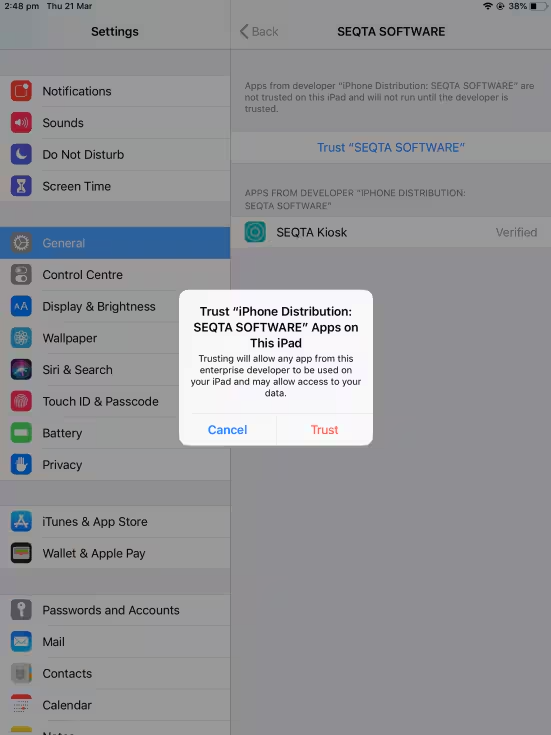
If the message "Untrusted Enterprise Developer iPhone Distribution: SEQTA SOFTWARE has not been trusted on this iPad" displays, this indicates the app has not been added as a 'trusted' app on the iPad.
To assign as a trusted app, please complete the steps below :
- Go into the iPad Settings and select General from the left-hand menu
- On the right-hand side select Device Management
- Under 'ENTERPRISE APP' tap the name SEQTA SOFTWARE to establish trust for this developer. Changes will save automatically. Access SEQTA Kiosk to confirm the issue is resolved.
Was this article helpful?
That’s Great!
Thank you for your feedback
Sorry! We couldn't be helpful
Thank you for your feedback
Feedback sent
We appreciate your effort and will try to fix the article