Some attendance reports apply calculations to attendance data to determine information such as half-days (DIVS) and percentages. Also it is important to know that not all attendance reports use the same calculations. For example, the attendance statistics reports (eg: Statistics (student)) use different calculations than the Federal STATS report. Additionally, some reports pick-up the attendance recorded against calendar classes or time-based attendance, whereas others do not.
If attendance is only visible in Time-Based view and the Attendance stack, is it included on attendance reports?
Attendance only visible in the Time-based view and the Attendance stack is included in some attendance reports. For example, the Federal Stats report, the Statistics reports, and any reports that include the phrase linear view in the report name.
Half Days and DIVS
The information below relates to standard attendance reports. The report Absences by Schoolyear is calculated differently, which is outlined in the article Absences by Schoolyear report - Report logic and identifying discrepancies.
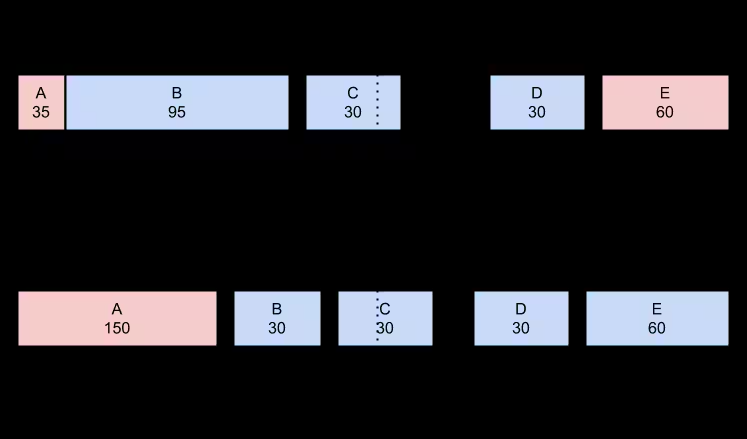
- The system splits the day into two chunks - exactly halfway between the first recorded presence/absence and the last recorded presence/absence.
- It then counts up the number of minutes flagged as present (minutesPresent) and the number of minutes considered absent (minutesAbsent) in each chunk.
- The percentage attendance for a chunk is therefore: minutesPresent / (minutesPresent + minutesAbsent). Eg. where student is present 87 mins and absent 103 mins: 87/(87+103) = 46% present
- A percentage threshold is then applied based on percentages and number of minutes. On the Attendance stats for reports, if the block is 10% present (by default) and has at least 20m present, it is considered present.
- Finally, the blocks for each student are summed up, then grouped and organised as appropriate.
Percentage present threshold
For each half day, the percentage of time that the student has been present is calculated by dividing the number of minutes that the student has been present by the number of minutes of combined absentee and present attendance. In order for the student to be considered present for that half-day, this percentage must equal or exceed a threshold called the percentage present threshold. This threshold is set to 30% by default (hard-coded) but can be overridden on request to the SEQTA Support team (email authorisation from the School Education Contact required).
Can attendance entered on the weekend or after school hours be excluded when running a report?
Yes, it is possible to exclude attendance applied against weekends when running the statistics reports by using the Date repetition filter, to only include specific days of the week (eg: Monday to Friday). A time-range can also be specified, providing this option has been enabled for the report. The SEQTA Support team can enable time field filters for attendance reports, as long as the report itself supports the time fields.
How does the Federal STATS Report differ from the Statistics Reports?
The Federal STATS report is quite distinct from the set of statistics reports in SEQTA Teach. The statistics reports operate at a half-day level when calculating overall percentages; a half-day is either considered present or considered absent or neither. Federal STATS reports in percentages only, is presented as an XML formatted file, and includes data for all students that were enrolled at the school during the reporting period, even if they are not currently enrolled.
Where can I find more information on the Federal STATS report?
Please refer to the article Federal STATS reporting - Quick guide for more information.
What attendance counts toward half-days and full days on Academic Reports?
All attendance types, with the exception of those where Considered present? is set to Uncounted, will be included in the calculations for half-days and full-days.
What attendance types contribute to Days Late on academic reports?
By default, any attendance type with the setting Late to School set as YES, will be counted towards Days Late on the Semester and Interim Reports.
Unresolved Late along with the other Absent attendance types are included in the calculations for half days and full days present.
Which attendance types are counted as a deduction from their attendance that is displayed on the Attendance page and the Marks book?
All Absent attendance types (i.e. Late, Unresolved Absent) are counted as a deduction from the student's attendance percentage. If there is no attendance, this will not be counted at all.
Was this article helpful?
That’s Great!
Thank you for your feedback
Sorry! We couldn't be helpful
Thank you for your feedback
Feedback sent
We appreciate your effort and will try to fix the article