The following permissions are required to edit untimetabled classes:
- 'UN-TT: ADD' - Allows use user to create and manage their own Untimetabled classes.
- 'UNTT: EDIT' - Allows the user to create and manage Untimetabled classes for all staff.
Once the required permissions are assigned the Untimetabled classes can be viewed and created through the teacher's timetable.
- Click the Teaching workspace > Timetable > Calendar/Traditional/My classes
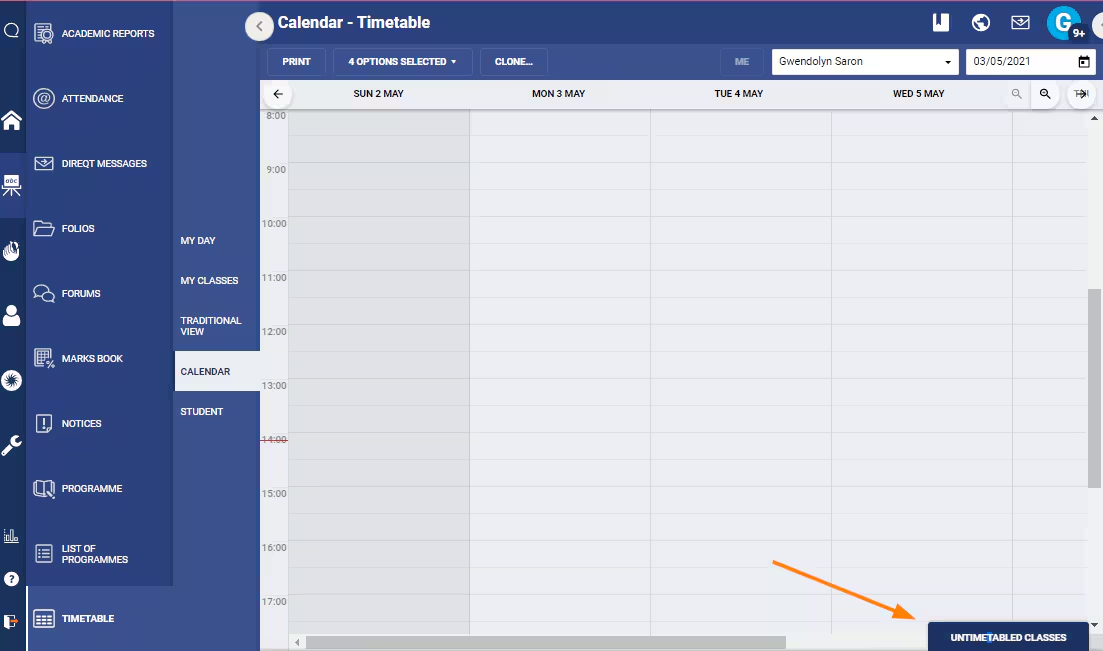
- If working under 'Calendar view' or 'Traditional view' click the Untimetabled classes tab in the bottom-right corner to open the Untimetabled class pane.
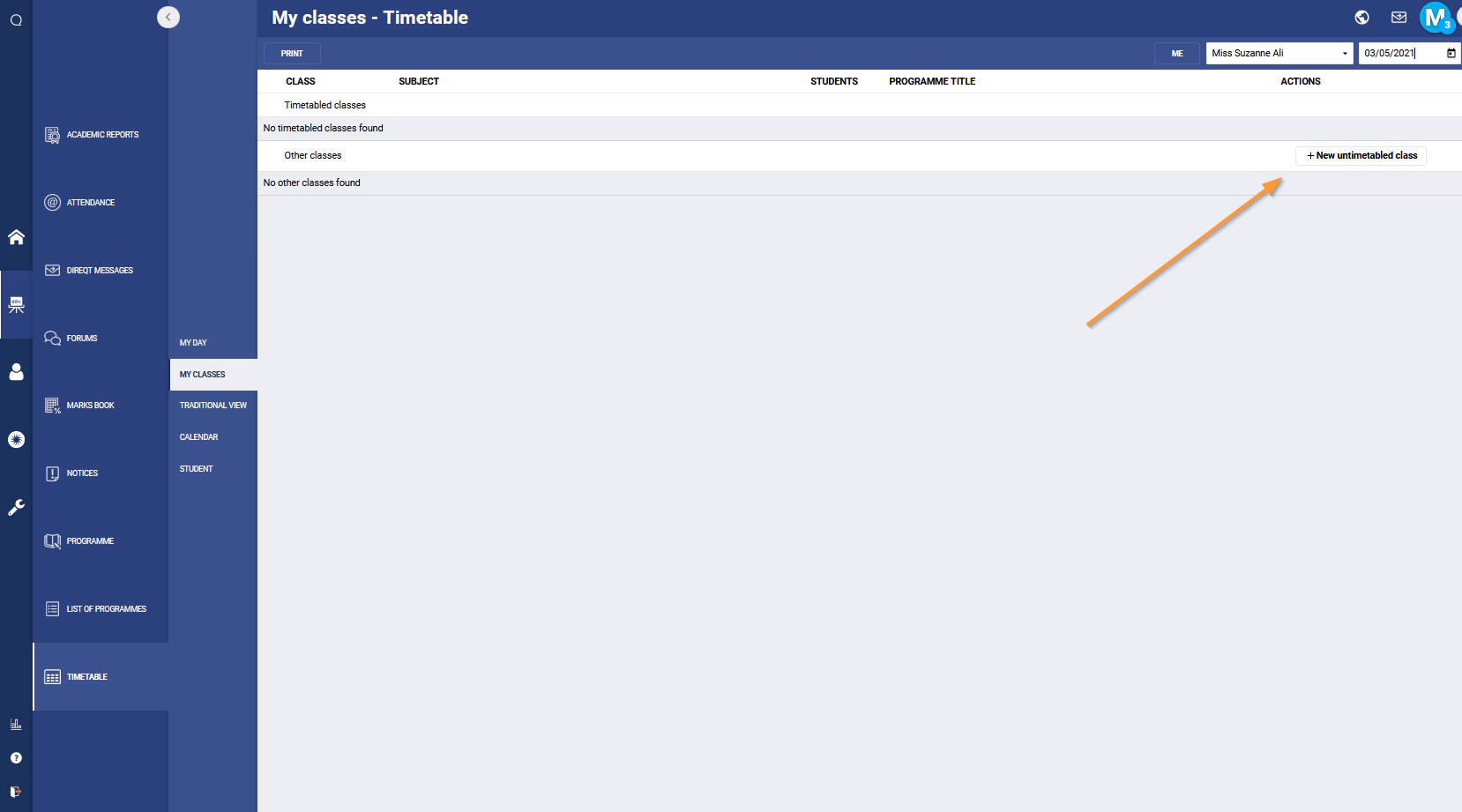
- If working under My classes the Untimetabled classes will be displayed in the bottom section of the work area under 'Other classes'.
Was this article helpful?
That’s Great!
Thank you for your feedback
Sorry! We couldn't be helpful
Thank you for your feedback
Feedback sent
We appreciate your effort and will try to fix the article