The message 'An error has occurred' typically indicates a Rubric has been added and that Rubric is missing one of the required fields.
If this message displays Do Not Refresh/Reload the Page or Close out of SEQTA or any changes made to the Rubric will be lost. Rather, edit the Rubric ensuing the below conditions are met:
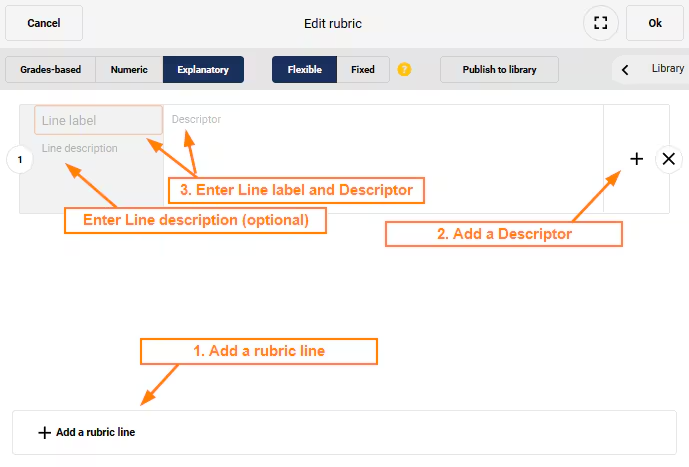
- An Rubric Line has been added.
- A Descriptor has been added.
- The fields 'Line Label' and 'Descriptor' are populated. 'Line Description' is optional.
Image below: Example of error.
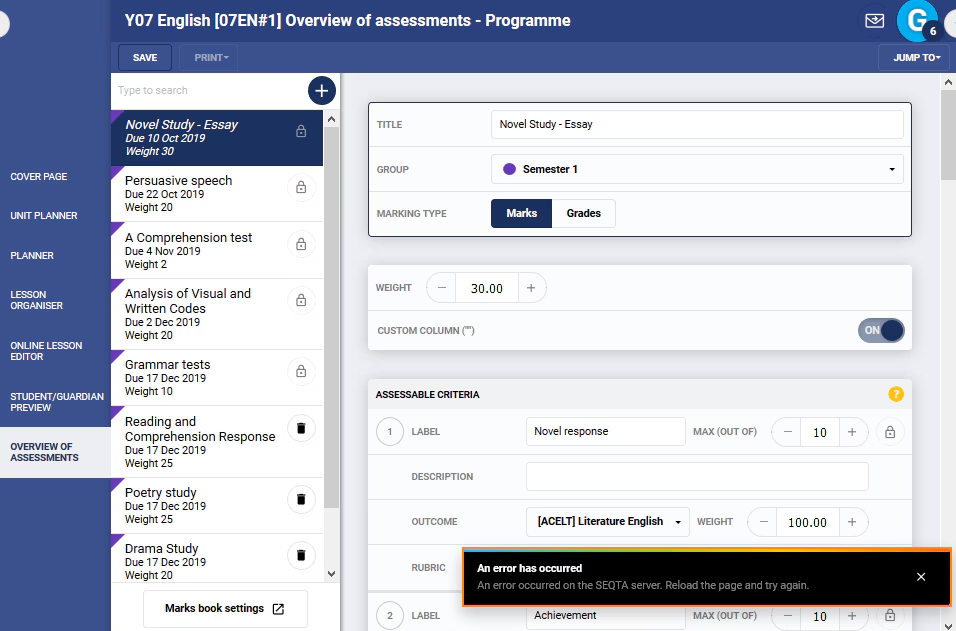
Image below: Required setup for Rubrics to save successfully.
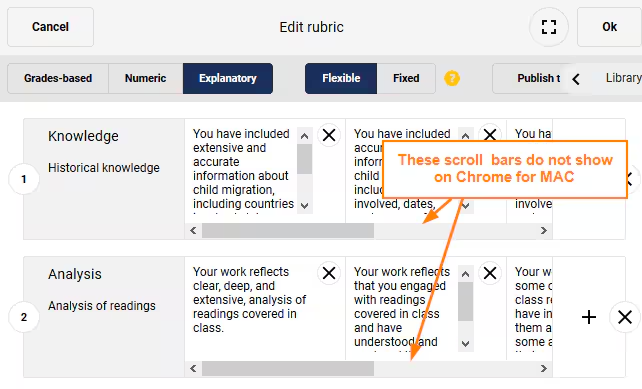
Chrome on MAC
The scroll bar on the bottom of the Rubric builder does not display in Chrome on a MAC if zoomed.
Was this article helpful?
That’s Great!
Thank you for your feedback
Sorry! We couldn't be helpful
Thank you for your feedback
Feedback sent
We appreciate your effort and will try to fix the article