TABLE OF CONTENTS
The account information for Sync UI is managed independent of SEQTA access.
Password resets and additional Sync UI accounts
Please contact the SEQTA Service desk with email authorisation from the School Education Contact.
Changing Sync UI password
- Log in to Sync UI.
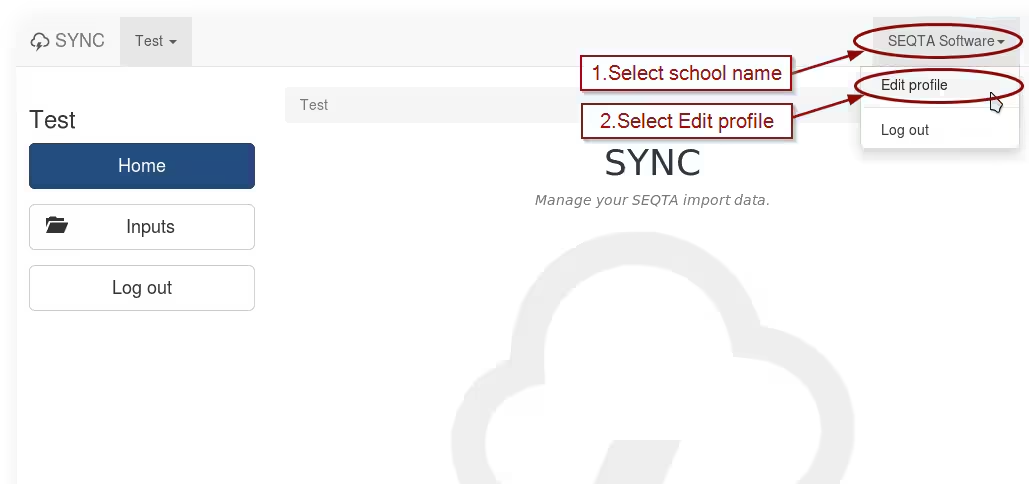
- Click on the school name in the top-right corner and select Edit profile.
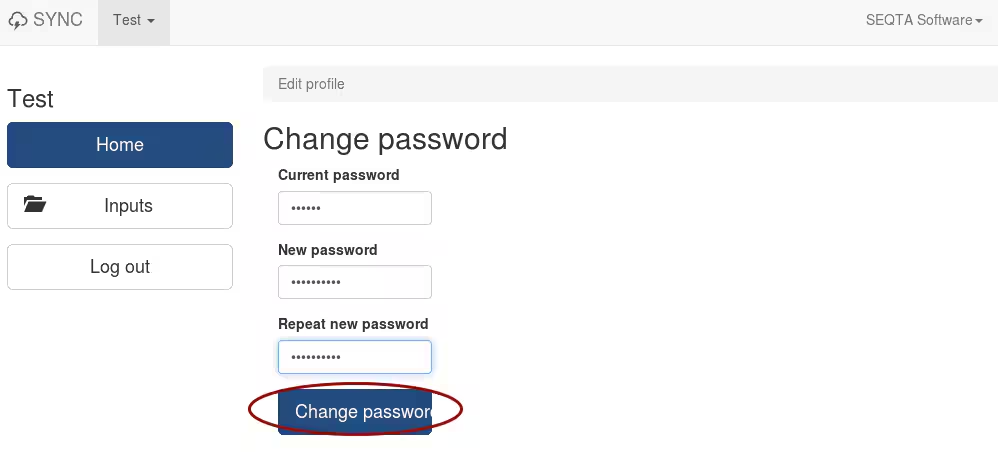
- Enter the current password, new password, then confirm new password and click on the Change password button.
Was this article helpful?
That’s Great!
Thank you for your feedback
Sorry! We couldn't be helpful
Thank you for your feedback
Feedback sent
We appreciate your effort and will try to fix the article