1. Log in to SEQTA Learn or SEQTA Engage or Masquerade as a Student
2. Select 'Assessments' from the left-hand menu.
3. If necessary, select the relevant Timetable period for a previous assessment.
4. Select the name of the subject.
5. The assessments will be displayed in the second column.
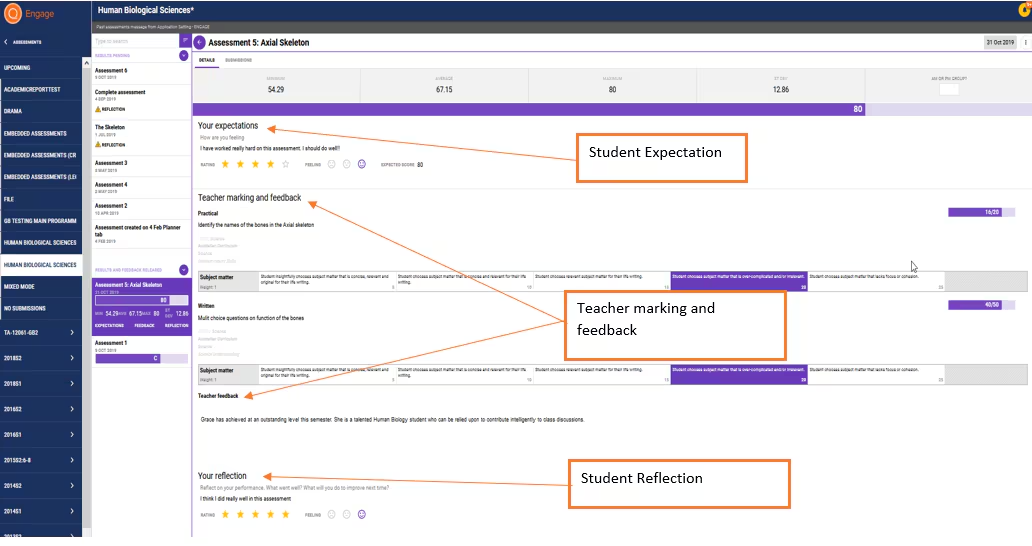
6. Click on the assessment to view feedback, reflections, rubrics, and results. Depending on the assessment availability and assessment settings, only some of these options may be available.
NOTE: "Upcoming" will show all assessments across all subjects where the details and due date have been released by the teachers.
Was this article helpful?
That’s Great!
Thank you for your feedback
Sorry! We couldn't be helpful
Thank you for your feedback
Feedback sent
We appreciate your effort and will try to fix the article