TABLE OF CONTENTS
- No headings available. Use Paragraph Format to add one.
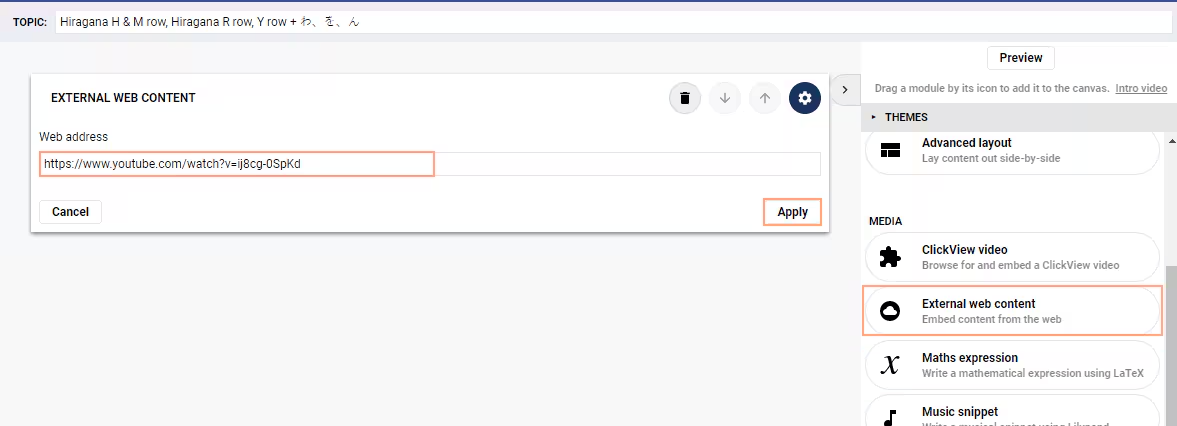
The process for embedding web content is as follows:
- Click-drag the SEQTA Creator Module External Web Content into the main work area.
- Enter the Web Address for the site you would like to embed (i.e. https://www.youtube.com/watch?v=ij8cg-0SpKd).
- Click Apply.
Was this article helpful?
That’s Great!
Thank you for your feedback
Sorry! We couldn't be helpful
Thank you for your feedback
Feedback sent
We appreciate your effort and will try to fix the article