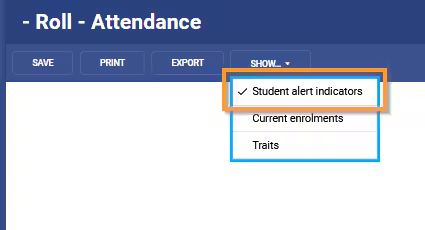
Alerts that show in the Marks book and Attendance roll page can be hidden by clicking on the Show button and un-ticking 'Student alert indicators' . The next time the Marks book or Attendance roll is accessed the indicator will revert to the default state as indicated in the Application settings.
Changing the default state for alert icons (school-wide)
The default state for alert icons on student lists (for example, marksbook and attendance) is visible by default. However, this can be set as 'hidden' by default if preferred on request to the SEQTA Service desk.
As this is a site-wide setting change, an email authorisation from the School Education Contact is required.
Was this article helpful?
That’s Great!
Thank you for your feedback
Sorry! We couldn't be helpful
Thank you for your feedback
Feedback sent
We appreciate your effort and will try to fix the article