A 'day swap' refers to the changing of one day's timetabled classes with another. Day swaps only affect the day that the day swap has been entered for. If the period times, or period order, needs to be changed an Exceptional day can be used.
Day swaps will not show on the Teachers timetable until the next sync has run.
- Click the Administration workspace > Timetable management > Day management
- Select the Timetable period
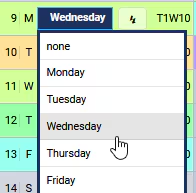
- Click on the drop-down list next to the day in question and select the correct day
- Click the Save button at the top of the page.
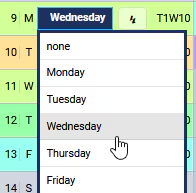
Image below: Note the day swap on Monday the 9th, this will assign the classes usually held on Wednesday
Was this article helpful?
That’s Great!
Thank you for your feedback
Sorry! We couldn't be helpful
Thank you for your feedback
Feedback sent
We appreciate your effort and will try to fix the article