TABLE OF CONTENTS
General notes are displayed in the Student information panel under the General overview pane. The general notes field is used to store information pertaining to the student.
There are two options for populating the data in General notes which are outlined in the sections below. It is not possible to have both options enabled,
- Option 1: Manage General Notes Directly in SEQTA
- Option 2: Sync General Notes from an External System into SEQTA
General notes should only be managed directly in SEQTA if they are not managed in the school's admin system (in which case they should be synced into SEQTA).
Managing General Notes directly in SEQTA
Please ensure the General notes component of the Sync is disabled prior to entering data into SEQTA. As if enabled, the sync will overwrite any changes made in SEQTA.
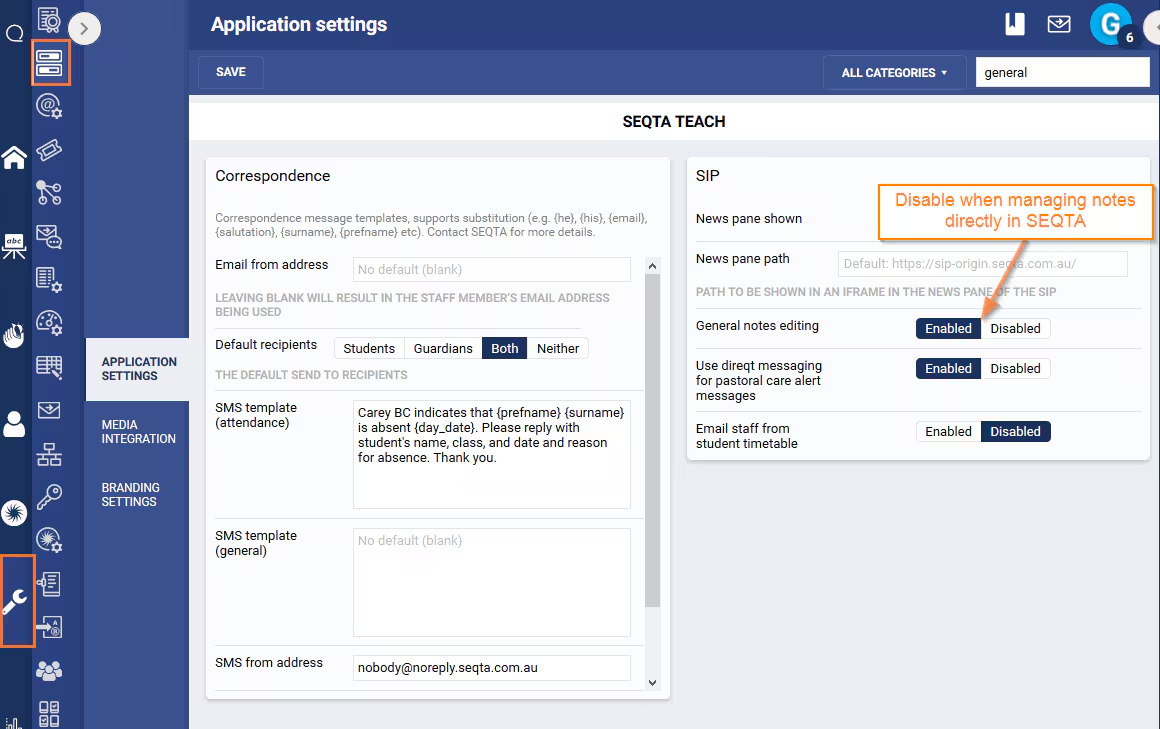
- Go to the Administration Workspace > Application Settings (required permission 'DATA:EDIT').
- Search for the word 'General'.
- Under the sub-heading 'SIP' change the setting 'General notes editing' to 'Enabled'.
- Click Save.
Enabling or Disabling the General Notes Sync
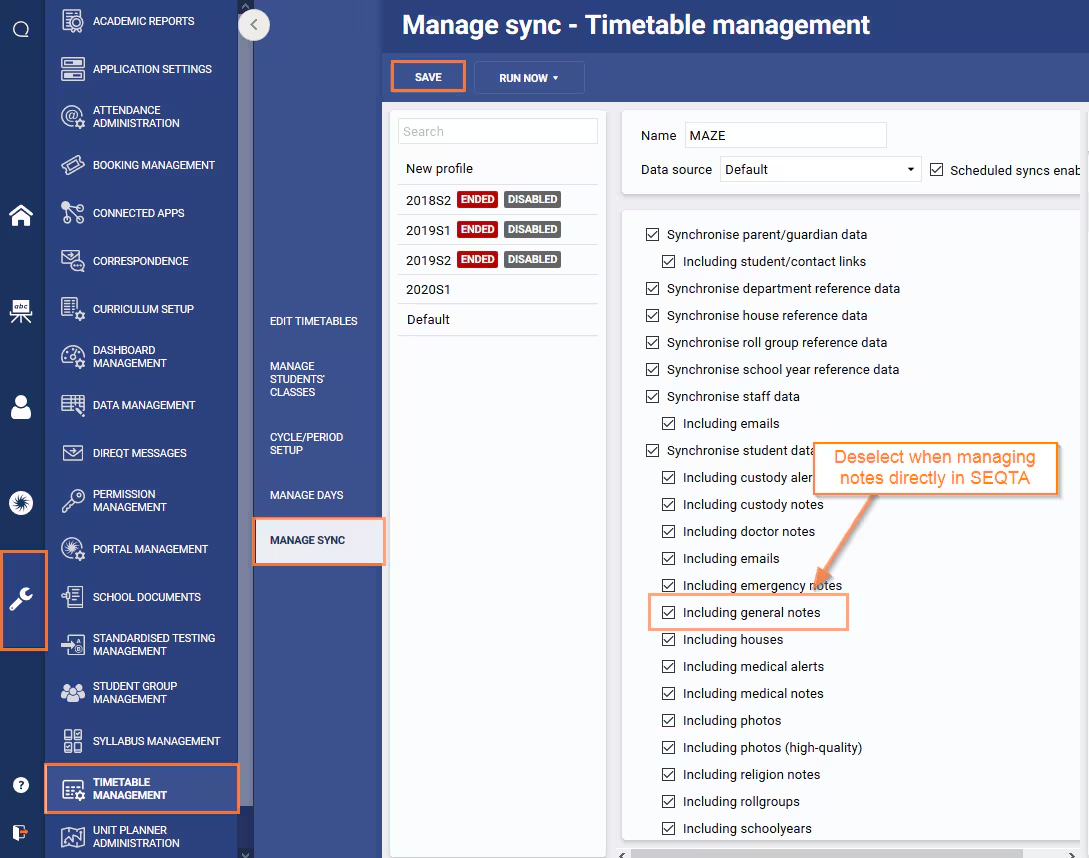
- Go to the Administration Workspace > Timetable Management.
- Manage Sync.
- Select the Admin Profile (i.e. 'Default', 'Synergetic').
- Under 'Synchronise Student Data' select or deselect the option Including General Notes as required.
- Click Save.
Was this article helpful?
That’s Great!
Thank you for your feedback
Sorry! We couldn't be helpful
Thank you for your feedback
Feedback sent
We appreciate your effort and will try to fix the article