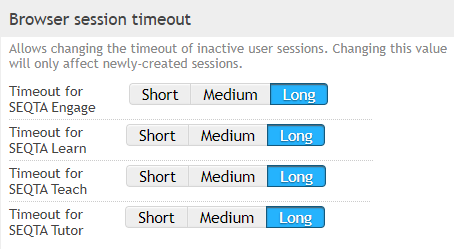
SEQTA supports three options for automatic session timeouts on the Application Settings tab:
- short (15 min)
- medium (1 day)
- long (14 days - current setting for all your SEQTA websites)
During the specified interval, the authentication cookie will stay valid, meaning re-opening the browser should re-open to your logged in page. If the cookies or the temporary browser cache are cleaned, you will be required to log back in to gain access.
The browser session timeout set in SEQTA Teach can in some cases be overridden by the school's proxy settings.
The steps for changing the browser session timeout are as follows:
- Go to the Administration workspace > Application settings > Application settings
- Search for 'timeout' (without the quotes)
- Configure the settings as required
- Click Save
Was this article helpful?
That’s Great!
Thank you for your feedback
Sorry! We couldn't be helpful
Thank you for your feedback
Feedback sent
We appreciate your effort and will try to fix the article