Classes should typically be bridged when the same students are continuing on with the same subject.
- Go to the Teaching workspace > Timetable > My classes
- If required change the teacher name or date to find the class.
- Click on the Bridge icon on the class.
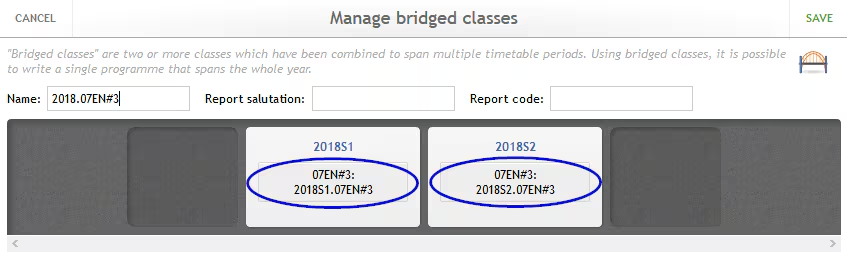
A correctly bridged class appears as follows. The 'Name' label can be edited if required, this label displays in the marks book in the class drop-down.
Related articles:
Was this article helpful?
That’s Great!
Thank you for your feedback
Sorry! We couldn't be helpful
Thank you for your feedback
Feedback sent
We appreciate your effort and will try to fix the article