TABLE OF CONTENTS
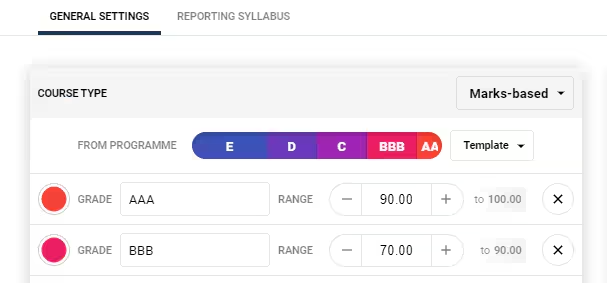
Course types play a key roll in determining what data can be entered into the Marks book as well as the calculation used to determine results such as the 'Overall Grade'.
The key functions of a Course type are as follows:
- The type of Values that can be entered for Assessment results.
- The Columns available in the Reporting Section of the Marks book.
- The database fields that are used to store data that is entered into the Marks book. This controls whether or not certain Academic Reports display information.
- The Cutoffs applied when determining the Overall Grade.
Important information
It is recommended that the SEC (School Education Contact) contact the SEQTA Support team prior to creating new Course types, or making changes to existing Course types. This will ensure the changes will not affect teachers' Marks books (eg: by changing the calculation type) and also avoid changing the mapping on Academic reports, (which may pick up information based on course type label). Please contact the SEQTA Support team via the Help portal.
Checking course types associated with programmes
This can be done in two ways:
- By checking the Marks book settings on a programme by programme basis. This is available on the programme Cover page and the Overview of assessments page
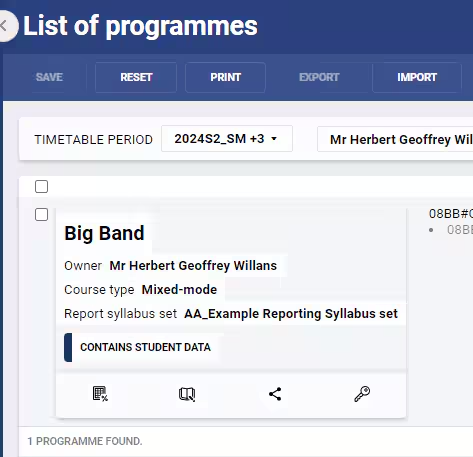
- Use the List of programmes page using the filters at the top of the page to display required programmes.
Related articles
Was this article helpful?
That’s Great!
Thank you for your feedback
Sorry! We couldn't be helpful
Thank you for your feedback
Feedback sent
We appreciate your effort and will try to fix the article