TABLE OF CONTENTS
The easiest way to remove accounts from SEQTA App is to un-install and re-install them. However, the below options are also available and are advised if the SEQTA App is already setup for more than one account.
Removing an Account (School) from SEQTA Apps (iOS)
- Open the SEQTA App.
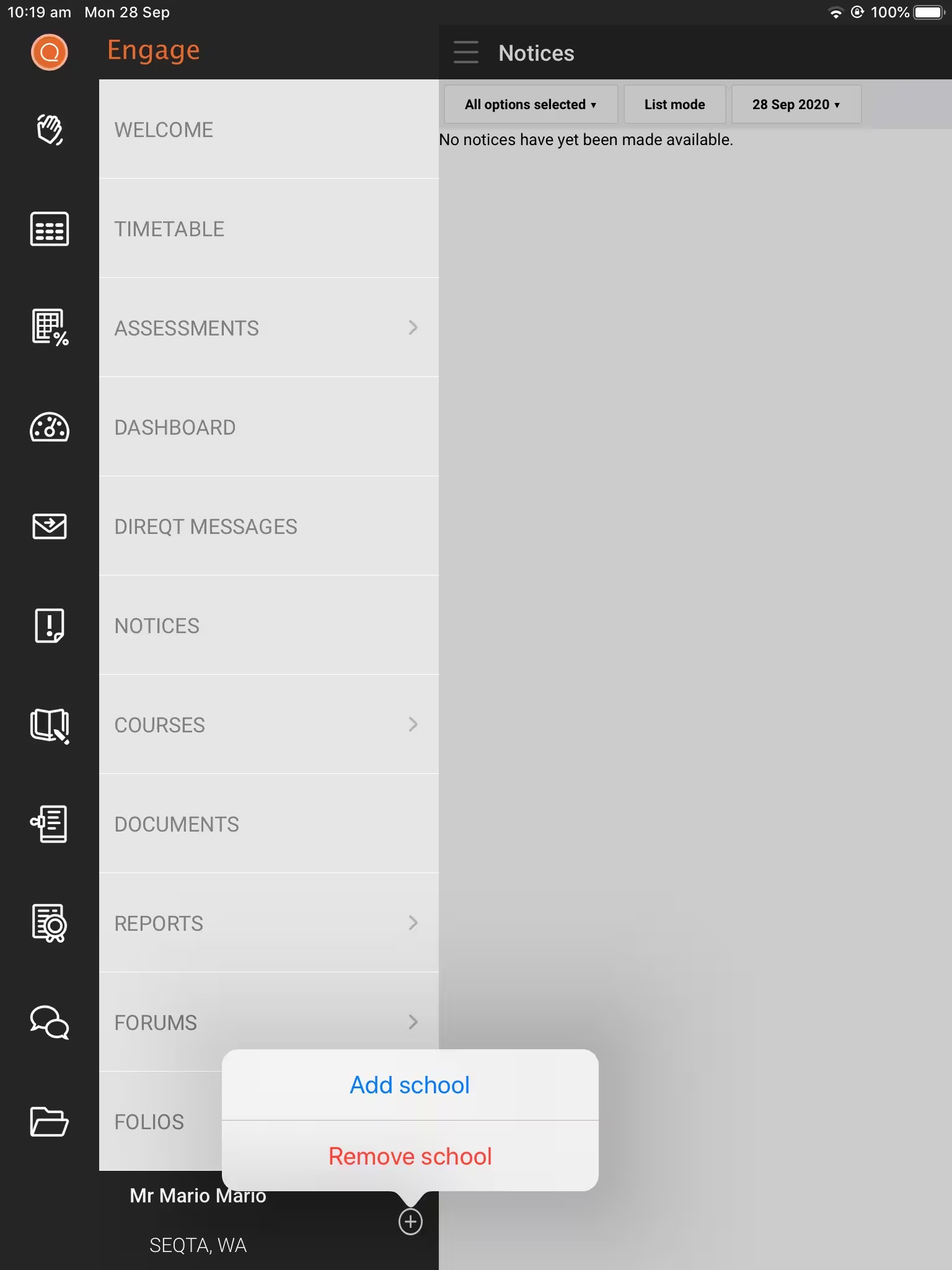
- Click on the + to the right of the name in the bottom-left corner to display the pop-up menu. Select Remove school.
Removing an Account from SEQTA Apps (Android)
- Open the SEQTA Engage App.
- Select the menu icon
 in the top left.
 - Scroll down and select Add Account. If the app is already setup for more than one account, select Select Account instead (as Add Account will no longer display).
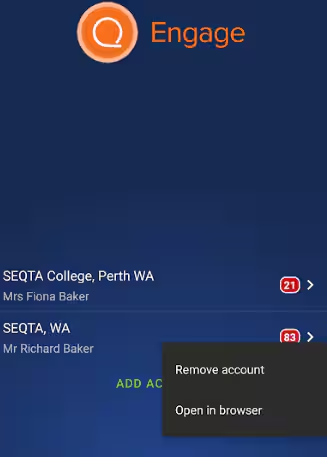
- Tap-hold the account you would like to remove, then select Remove Account option that displays.
Was this article helpful?
That’s Great!
Thank you for your feedback
Sorry! We couldn't be helpful
Thank you for your feedback
Feedback sent
We appreciate your effort and will try to fix the article